Synchronize Thunderbird address book with gmail contacts
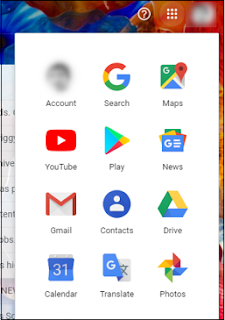
Export Gmail Contacts to Thunderbird Manually To export Gmail contacts to Thunderbird, one must first save it to a .csv file. The simplified steps are mentioned below: Open Gmail and click on the Google apps icon and hit Contacts. The Contacts will now open in a new browser window. Now check all the Contacts that you would like to export . Next, click on More actions icon and click Export . Export as Outlook CSV . The .csv file will be auto-downloaded to your downloads folder. Now open Thunderbird and click on the Menu tab > Tools > Import . Check on the Address Books option and hit Next . From the list, choose Text File option and hit Next . Select the address book that you downloaded earlier and hit Next . Select the appropriate options for each contact and click Next . Once done, click, OK . To check whether you have successfully imported the contact, g...