Posts

Showing posts with the label thundermail

How to make mozilla thunderbird start again?

  If Thunderbird is running, but not responding, or says that your profile is in use, here are the steps you should try. 1.Close and reopen Thunderbird:  It's always worth a try to close the application and then reopen it. Select  Thunderbird > Quit Thunderbird  from the menu, and then reopen the application to see if this solves the problem. 2.Close Thunderbird on another computer:  If Thunderbird is running with your profile on another computer, close Thunderbird on that machine by selecting  Thunderbird > Quit Thunderbird  from the menu. Then log in again on the computer you're using. 3.Kill Thunderbird's background processes:  Even if you closed Thunderbird, the application might be running in the background. Ending Thunderbird processes that are running in the background might fix the issue. On a Windows system, do this from the Task Manager. 4.Restart the computer:  Restarting is an easy fix that often solves many technical i...
Synchronize Thunderbird address book with gmail contacts

Image
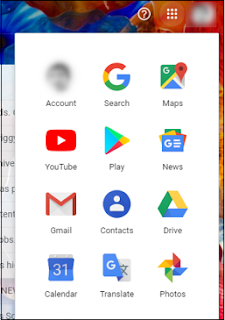
  Export Gmail Contacts to Thunderbird Manually To export Gmail contacts to Thunderbird, one must first save it to a .csv file. The simplified steps are mentioned below: Open  Gmail  and click on the  Google apps  icon and hit  Contacts. The Contacts will now open in a new browser window. Now check all the  Contacts  that you would like to  export . Next, click on  More actions  icon and click  Export . Export as  Outlook CSV . The .csv file will be auto-downloaded to your downloads folder. Now open Thunderbird and click on the  Menu tab > Tools > Import . Check on the  Address Books  option and hit  Next . From the list, choose Text File option and hit  Next . Select the address book that you downloaded earlier and hit  Next . Select the appropriate options for each contact and click  Next . Once done, click,  OK . To check whether you have successfully imported the contact, g...